NoteBay
Notes that float above your work.
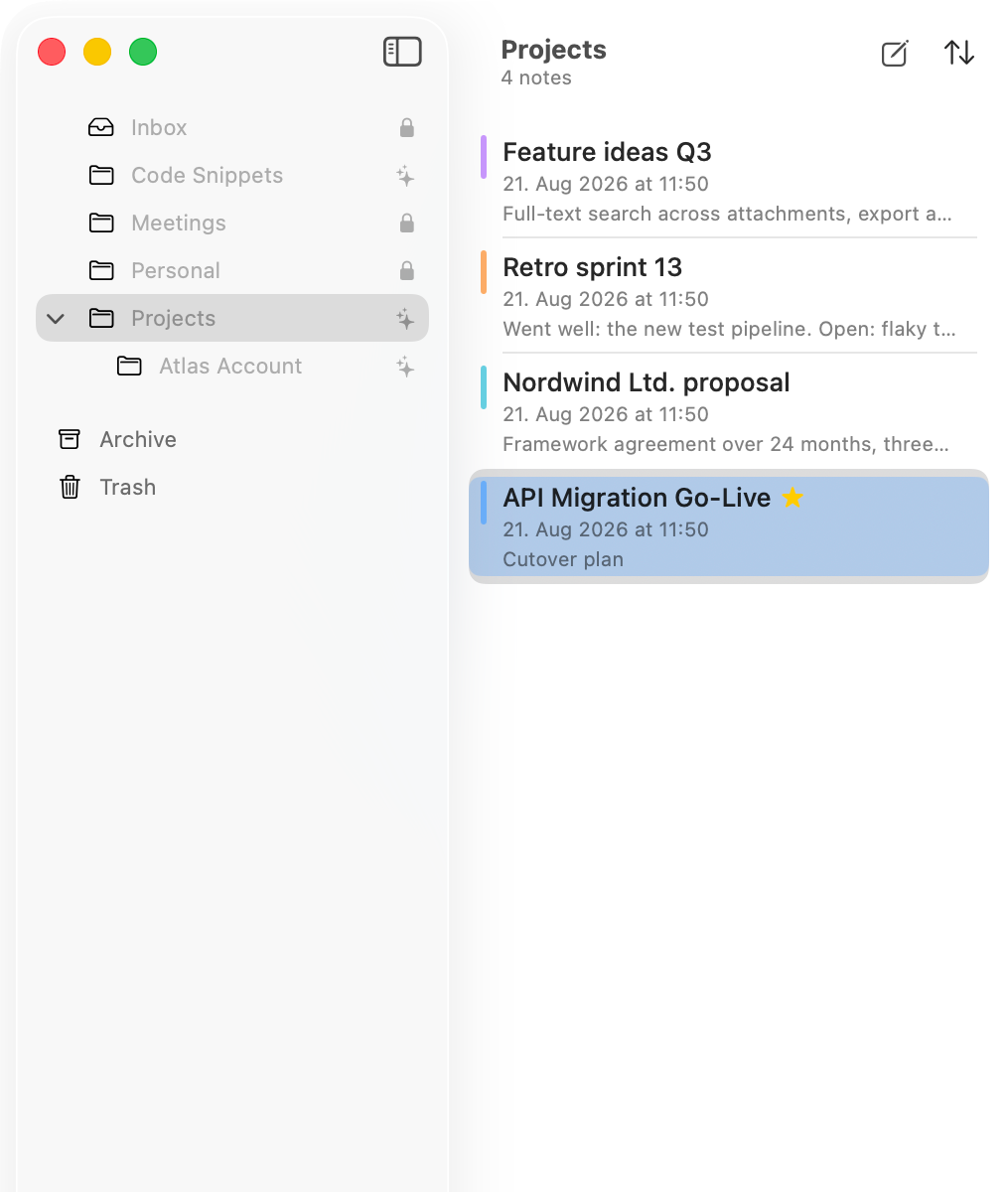
Some notes you want to read while you work, not instead of it. NoteBay opens any note as its own small window above the app you are using. With blocks, tables, images and colours, on your Mac and your iPhone.
No subscription, no ads.
Your note floats above everything
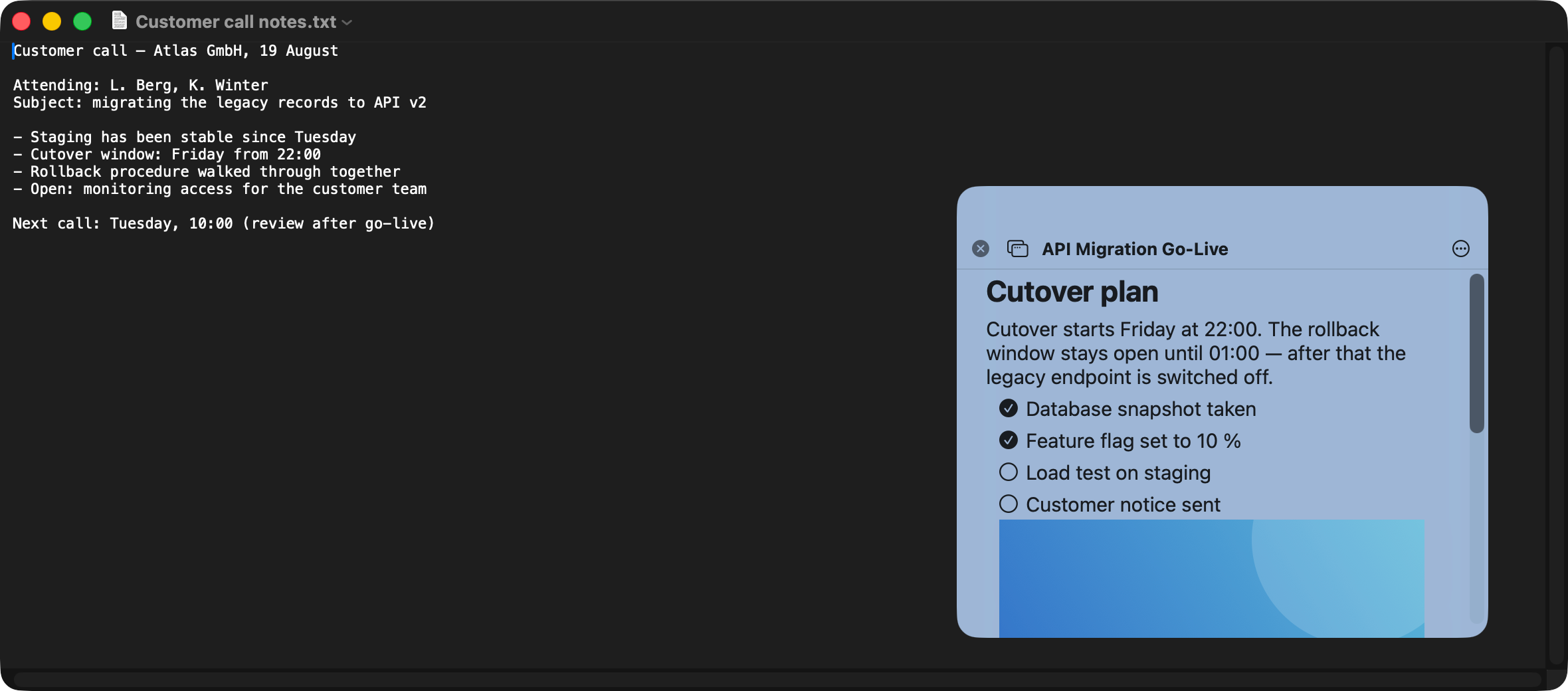
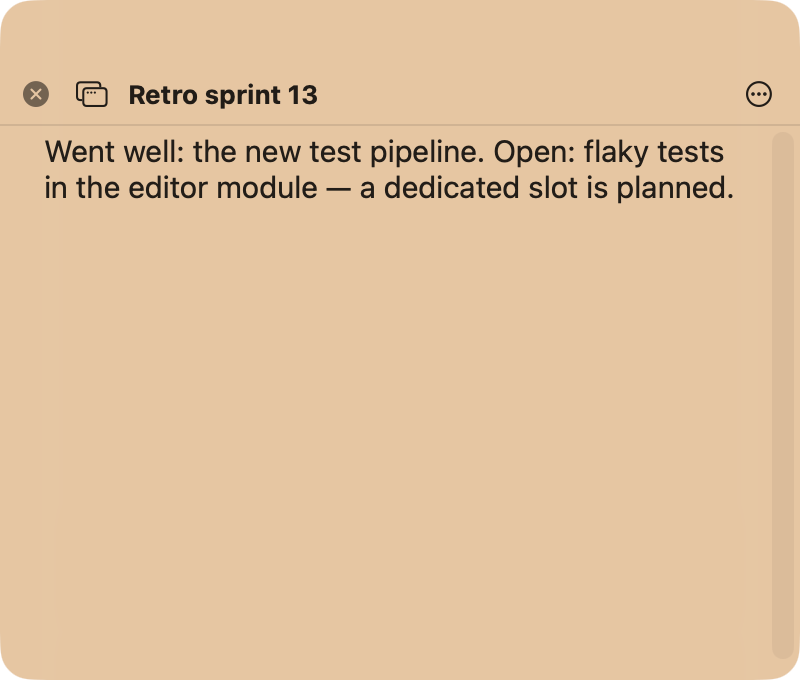
Open any note as its own small window. It stays visible on top of the app you're working in and doesn't steal its focus while you type.
Capture without switching windows
NoteBay lives in your menu bar. ⌥⌘N opens a blank note right on top
of whatever you're doing. Type two sentences, close it, move on.
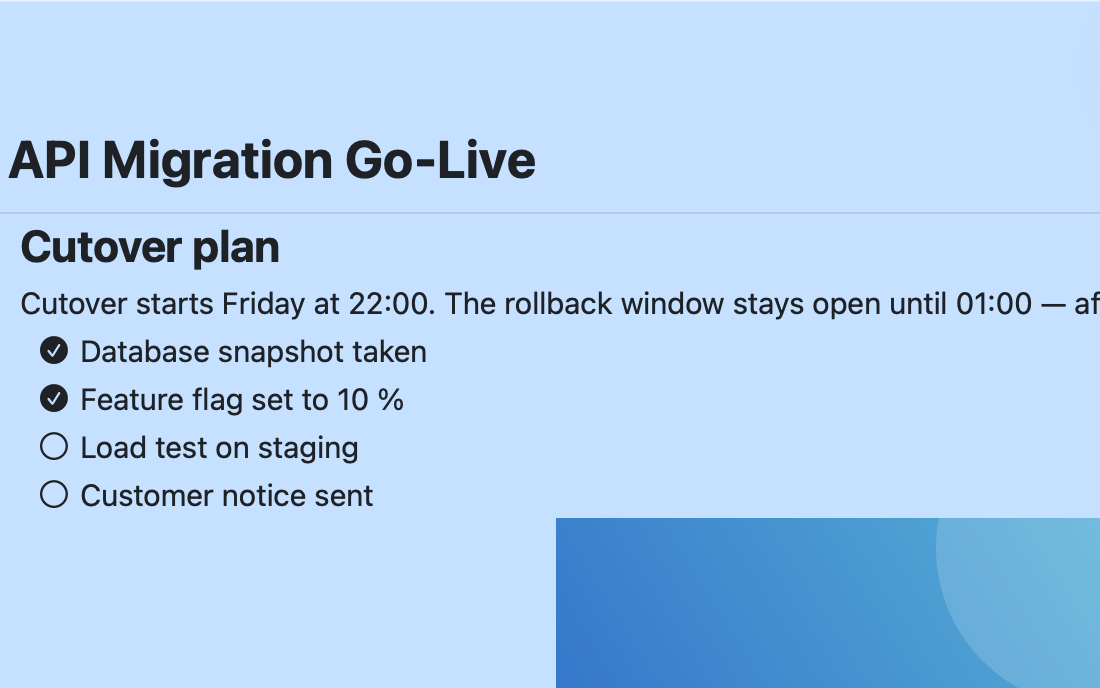
Writing in blocks
A / at the start of a line opens the block menu: heading, bullet list,
checklist, quote, code, divider, image, table. If you know the shortcuts you can type
them straight in. - becomes a bullet, [] a checklist,
``` a code block. Bold, italic, strikethrough and inline code sit on the
usual keys.
Colors and folders
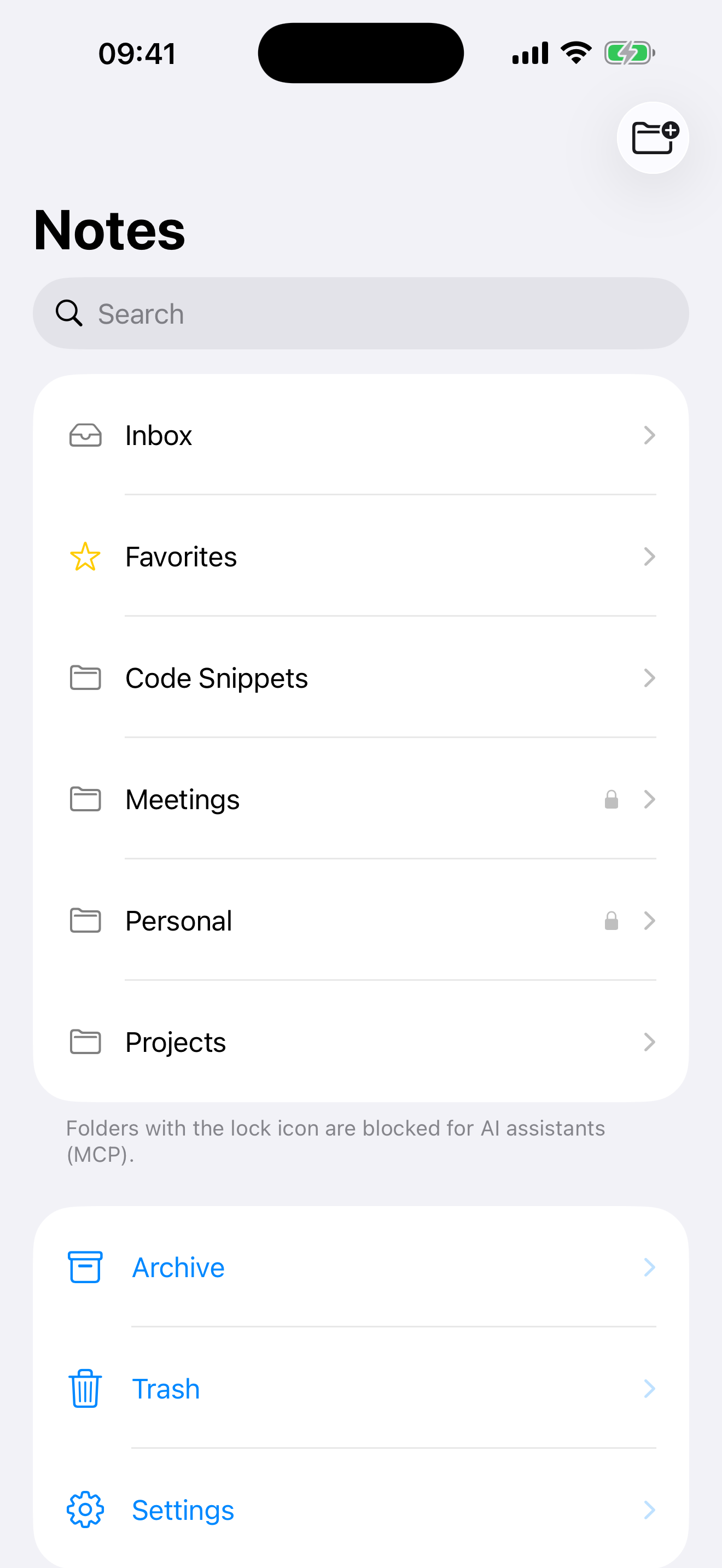
Give notes a color and nest folders however you like. The folder icon tells you what your AI is allowed to see.
With you on your iPhone
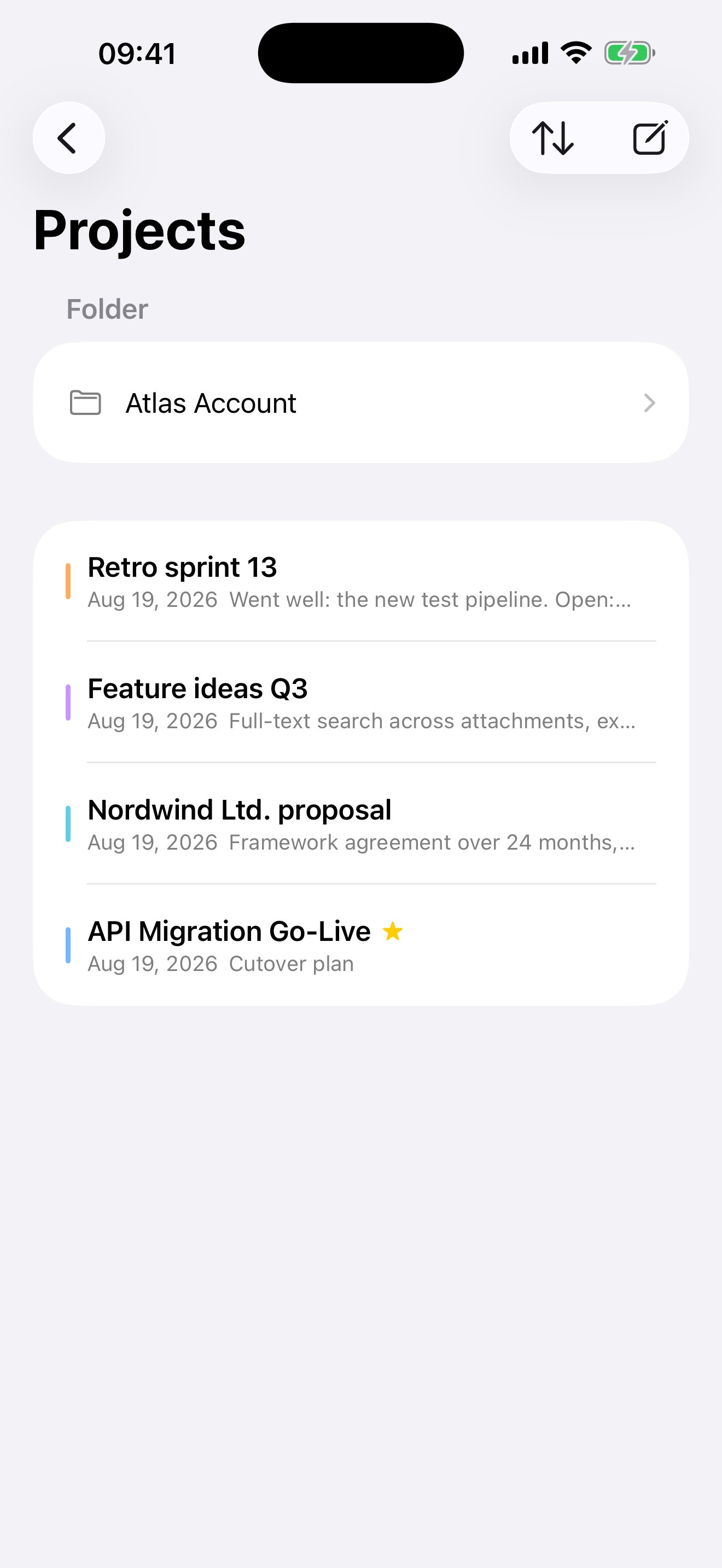
Your notes reach your iPhone through your private iCloud, no separate account needed. On the go, you start a new note straight from the home-screen widget. Finding it again is what full-text search is for.
AI access via MCP
NoteBay ships with a local MCP server. AI assistants like Claude use it to read, create, and organize notes right in your library, but only in folders you've shared with a right-click. Everything else stays invisible to the AI.
What you can do with it
- “Summarize this week's meeting notes into one overview.”
- “Create a separate note for every open item in the minutes.”
- “Tidy up the Projects folder and give the notes consistent names.”
- “Find everything on the API migration and put together a status report.”
What stays protected
- Sharing works per folder. Anything you haven't shared never shows up in a response, not even in an error message.
- The server is reachable only on your Mac and requires a pairing token on every connection.
- Before an AI changes anything, NoteBay saves the previous state as a snapshot. It can be restored with one click for 30 days.
- Every operation goes into the audit log. There are no delete tools in the MCP.
Setup
{
  "mcpServers": {
    "notebay": {
      "type": "http",
      "url": "http://127.0.0.1:27431/mcp",
      "headers": {
        "Authorization": "Bearer <YOUR-TOKEN>"
      }
    }
  }
}
You'll find your token and the ready-filled snippet in NoteBay under Settings → AI Access.
For AI agents there's a ready-made skill package with all tools, example calls, and the Markdown conventions.
Download skill (ZIP)Why NoteBay exists
Sticky-note apps keep a note above your work but stop at a text box: no folders, no search, and often only on one platform. Full notes apps do all of that, but they turn a note into a screen you open instead of a window that stays.
NoteBay sits in between. A real library with nested folders, full text search, blocks, tables, images and colours, and any note in it becomes a floating window when you want one. On your Mac and your iPhone, through your own iCloud. No subscription and no ads: free for up to 10 notes, then unlock it once for both devices.
Frequently asked questions
Where do my notes live, and who can see them?
127.0.0.1. It can't be reached from the network, and every
connection without a pairing token is rejected.Does NoteBay work offline?
What does NoteBay actually cost?
Can an AI delete my notes or get at blocked content?
not_found. And before an AI
changes anything, a snapshot is created automatically (kept for 30 days) that
you can restore with one click. Every operation goes into the audit log.Which devices does NoteBay run on?
Can I get my data back out?
.md files,
attachments sit next to them with relative links.