Organising
Nesting folders
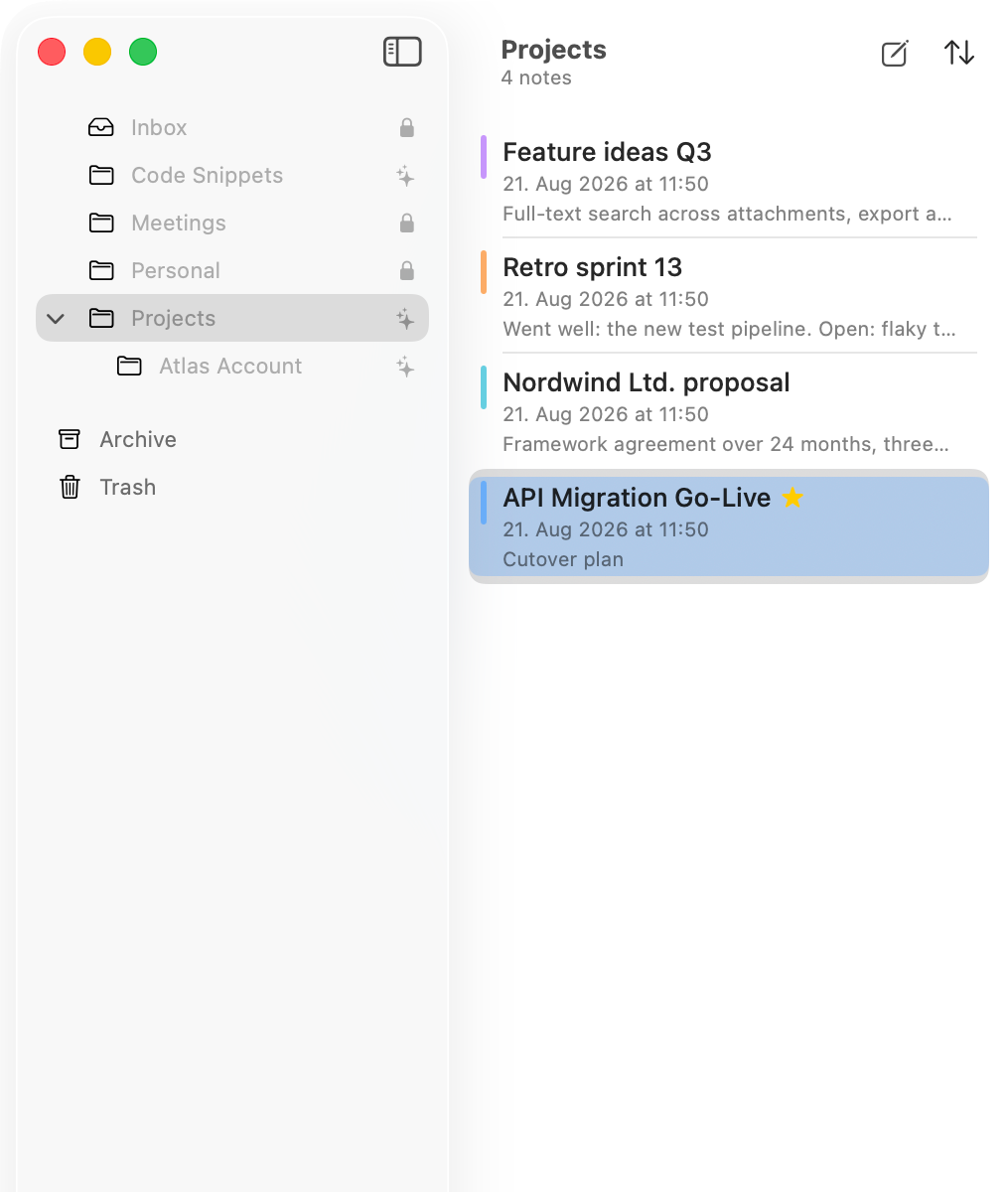
Folders as deep as you like. New notes land in Inbox until you file them.
Creating and moving
At the bottom of the folder column sits New folder, shortcut ⌘⇧N. Subfolders appear when you drag one folder onto another. Notes move by dragging or through the context menu.
Inbox
Inbox is the front door. Anything created through the shortcut, the menu bar icon or the iPhone widget lands here first.
The icon on the folder
To the right of a folder you can see whether an AI may read it. A lock means blocked, the sparkle means unlocked. More under Unlocking a folder.
NextNote colours